
Solana has a large, active community of wallet users, many of whom hold SOL for trading and apps. Accepting SOL lets that audience pay directly from wallets they already use every day.
Why accept Solana
SOL is on by default
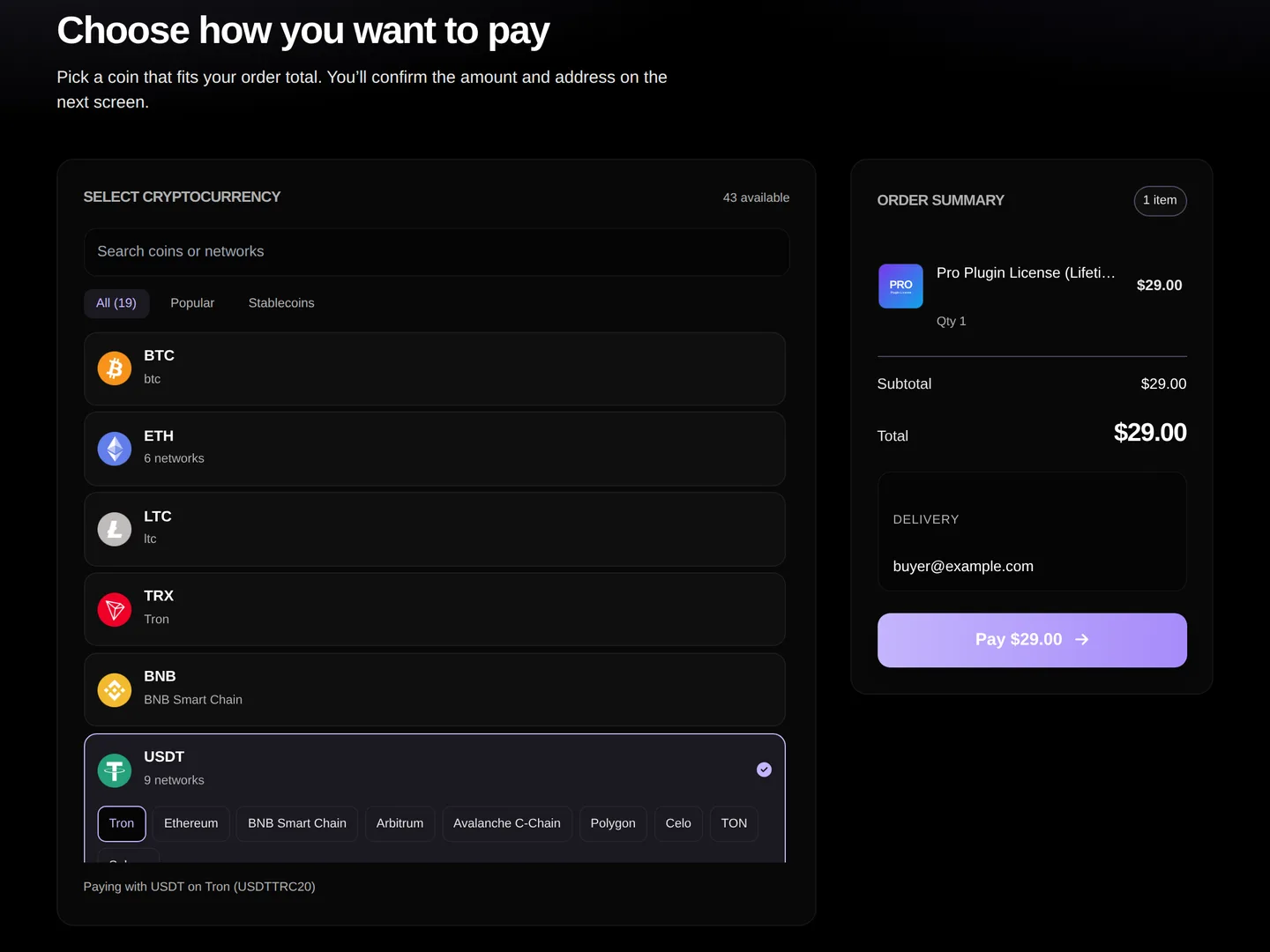
There is nothing to set up. Every ZappSell store accepts SOL at checkout from the first sale, alongside a wide range of other supported cryptocurrencies. You price products in USD; at checkout the buyer picks SOL and sees the exact amount to send. You do not need your own payment processor account, API keys or a node.
Payments are processed by NOWPayments. When the SOL payment is confirmed, the order is marked paid once, and ZappSell delivers the product: one license key, code or access link per unit, claimed from your stock and emailed to the buyer. A key is never sent to two buyers.
SOL networks and minimum payment
SOL payments are made on the Solana network. Buyers should send native SOL to the address shown at checkout.
| Network | Minimum order (USD) |
|---|---|
| SolanaSOL | $11.00 |
The minimum is the smallest order total that can be paid in that coin and network; smaller orders show other coins at checkout. Network fees and typical confirmation times: TODO(owner): verify.
How it works
How a SOL payment works.
01
The buyer picks a product
They add it to the cart on your store at yourname.zappsell.com. No ZappSell account is needed.
02
They choose SOL at checkout
Checkout shows the SOL amount for your USD price and, where there is more than one, the network to send on.
03
They send the exact amount
From any wallet or exchange, to the payment address shown, on the network shown.
04
The payment confirms and the product is delivered
Once confirmed on-chain, the key, code or link is emailed automatically and stays in the buyer’s order tracking.
05
The sale is credited to your balance
Request payouts to your own wallet from the dashboard, up to 2 requests every 7 days.
Getting paid out
Sales are credited to your ZappSell balance in USD terms, minus the platform fee (5% on Free, 2% on Premium). You withdraw by adding a wallet address under Payments → Settings and requesting a payout. You can be paid out in SOL or another supported coin; always match the coin and network of the address you enter. See requesting a payout and how money moves.
Tips for smooth payments
- Tell buyers in your product description that you accept SOL; it helps buyers searching for somewhere to spend it.
- Remind buyers paying from an exchange that withdrawal fees can reduce the amount that arrives; they should send enough for the exact amount shown.
- Buyers who have a problem with a payment can open a ticket from order tracking; see paid but not received.
- Crypto payments cannot be charged back. Read about chargeback-free payments.
FAQ
Frequently asked questions
No. SOL is available at checkout on every ZappSell store by default.
Yes. Each coin and network has a minimum order total, shown on this page and applied at checkout. Smaller orders can be paid with other coins.
Yes. Any Solana wallet that can send the exact amount to the checkout address works.
Yes. Add a Solana address under Payments → Settings.
It depends on the network and how busy it is. TODO(owner): verify typical confirmation times before publishing.
ZappSell
Start accepting SOL today
Free to start. Crypto checkout is on from your first sale.
Free to startCrypto checkoutInstant delivery